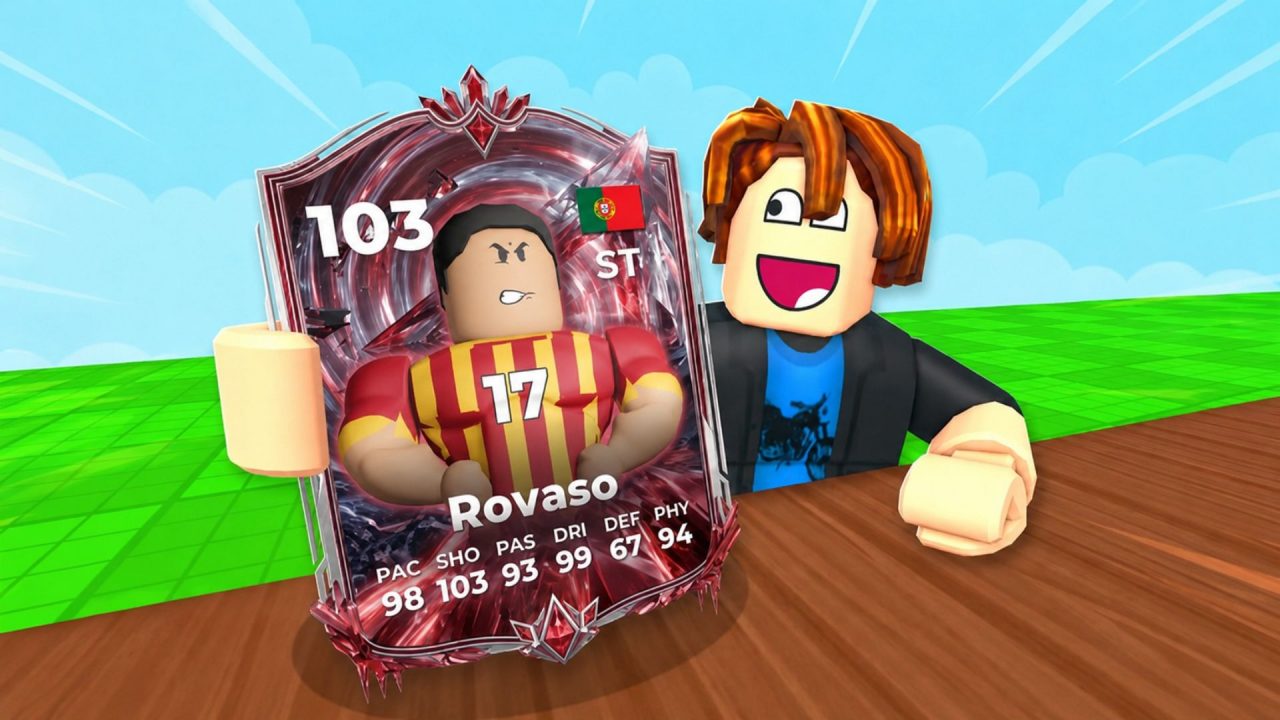
Spin a Soccer Card is a Roblox card-collecting tycoon where you open packs, collect soccer player cards, and place your best pulls on a plot. Those cards generate Cash, which can then go towards stronger packs and more additions to your collection.

The active redeem codes give you extra Packs and Spins, while some also include Gems, Wish Tickets, and Tournament Tokens. These rewards can save some time when you are working towards better cards or your next Rebirth.
LIST OF ALL ACTIVE REDEEM CODES
Here are all the active redeem codes currently listed for Spin a Soccer Card:
- STAR-STORM: 2 Packs at your current Rebirth level and 3 Spins
The rewards from certain codes can depend on your current Rebirth level. You also need to join the developer’s Roblox community and complete at least two Rebirths before using the code redemption system.
Codes in Spin a Soccer Card tend to remain available for a limited time, so claim any rewards you still need while the codes work.

How to Redeem Codes in Spin a Soccer Card?
Follow these steps to redeem your codes:
- Join the Pixellar Studios Roblox community connected to the game.
- Launch Spin a Soccer Card through Roblox and wait for your plot to load.
- Complete the tutorial and reach at least two Rebirths if you have not done so already.
- Select the Shop icon on the left side of the screen.
- Scroll to the bottom of the Shop menu until you find the Codes section.
- Select the code entry field and paste one active code exactly as displayed.
- Press Redeem to collect your Packs, Spins, Gems, or other rewards.
- Repeat the process for each remaining code.

If you joined the Roblox community while the game was already running, leave the current server and open the experience again. This allows the game to recognise your membership before you try redeeming a code.
Redeem Codes Not Working?
If a redeem code isn’t working, here’s what you need to do:
- Check the Code: Enter the code exactly as shown, including its capital letters and hyphens. An extra space can also cause the redemption to fail.
- Check Its Validity: Make sure the code is still active and hasn’t expired. The game receives weekly codes, so older ones may stop working fairly quickly.
- Check If It Was Used: Each code can generally be redeemed once per Roblox account. A second attempt will not provide the reward again.
- Check for Restrictions: Join the Pixellar Studios Roblox community and complete at least two Rebirths. The redemption feature may remain unavailable until both requirements have been met.
- Try Again: Leave the experience and join a fresh server. Recently released codes may fail inside an older server that has not received the latest update.
It is also worth copying and pasting each code instead of typing it. Several Spin a Soccer Card codes contain capital letters and hyphens, which makes small typing mistakes fairly easy.
The free Packs can give you more chances to find valuable cards, while Spins and other resources help with the rest of your progression. Redeem each available code, place your strongest cards on your plot, and keep building up the Cash needed for better packs.