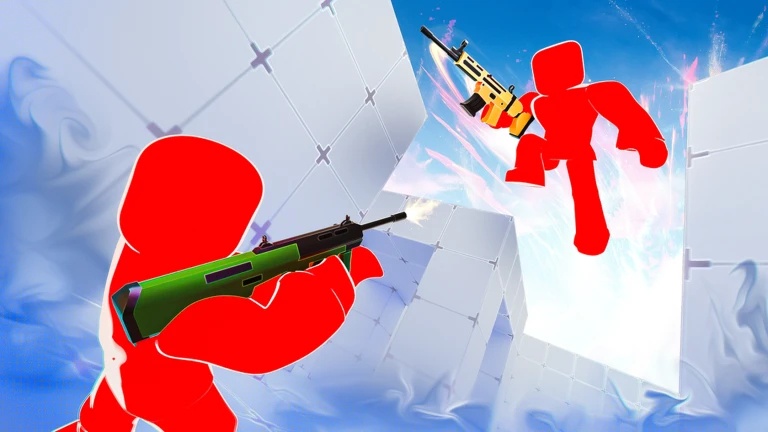
Fast matches, powerful weapons, and flashy cosmetics are at the heart of Rivals, the Roblox FPS from Nosniy Games. Whether you’re fighting through 1v1 duels or teaming up for 5v5 matches, you’ll eventually want extra Keys, event rewards, and cosmetic items to improve your collection.

That’s where Rivals codes come in. These promotional codes can provide free Keys, Goodie Bags, Pearls, Chests, and exclusive cosmetics, giving you a few useful extras without having to grind for every reward.
LIST OF ALL ACTIVE REDEEM CODES
Use the codes below to collect the currently available rewards. Enter each one exactly as shown, since Roblox promo codes can be case-sensitive.
- NOSNIYGAMESONTOP – emote.
- BACK2BACK – a charm for weapons.
- FREE199 — ×3 keys.
- COMMUNITY26 – random weapon.
- ROBLOX_RTC — ×5 keys.
- BONUS — ×1 key.
- BOOST — ×1 key.
- ELBILLUG – gives nothing (gullible letters backwards)
How to Redeem Codes in Roblox Rivals?
You can’t use the code system immediately after starting the game. New players first need to unlock the relevant menu and complete the developer verification process.

1. Unlock the Shop
Launch Rivals through Roblox and play through the introductory portion of the game. You need to complete the initial tutorial or win your first match before the Shop option becomes available at the bottom of the screen.
2. Complete Developer Verification
Open the Shop and select Rewards / Codes. Scroll down until you find the verification section. Follow the developer accounts requested by the game, including the relevant Roblox group and profile, then enter your Roblox username in the verification field and select Verify.
3. Enter Your Code
Once your account has been verified, find the “Redeem a Code” field and enter one of the active codes from the table.
4. Collect Your Rewards
Press Redeem to submit the code. Successful redemptions should add your Keys, cosmetic rewards, Pearls, or other items directly to your account.

Redeem Codes Not Working?
A code can fail for several different reasons. Before assuming it’s expired, check the following possibilities.
- Your Account Isn’t Verified: The redemption system requires you to complete the developer verification process first. Make sure you’ve followed the required Roblox accounts, entered your username correctly, and completed the verification step before attempting to redeem a code.
- The Code Has Expired: Some Rivals codes don’t remain active for long. Codes connected to milestones or updates can be replaced when a new promotion arrives, so an older code may stop working even if you’ve only recently discovered it.
- You’ve Already Claimed It: Most promotional codes are limited to one use per Roblox account. If you’ve already redeemed a specific code, entering it again won’t grant a second reward.
- You Entered the Code Incorrectly: Even a small spelling or capitalization mistake can cause the code to fail. Double-check the code against the list above, particularly codes containing repeated letters or unusual combinations of characters.
New codes can appear around game updates, events, milestones, and community celebrations. Keep an eye on the game’s official community channels and developer announcements, especially when a new update goes live. These are usually the places to check when you’re looking for newly released codes.
Looking for more game codes? Explore our full collection at the Redeem Codes section to level up your gameplay!