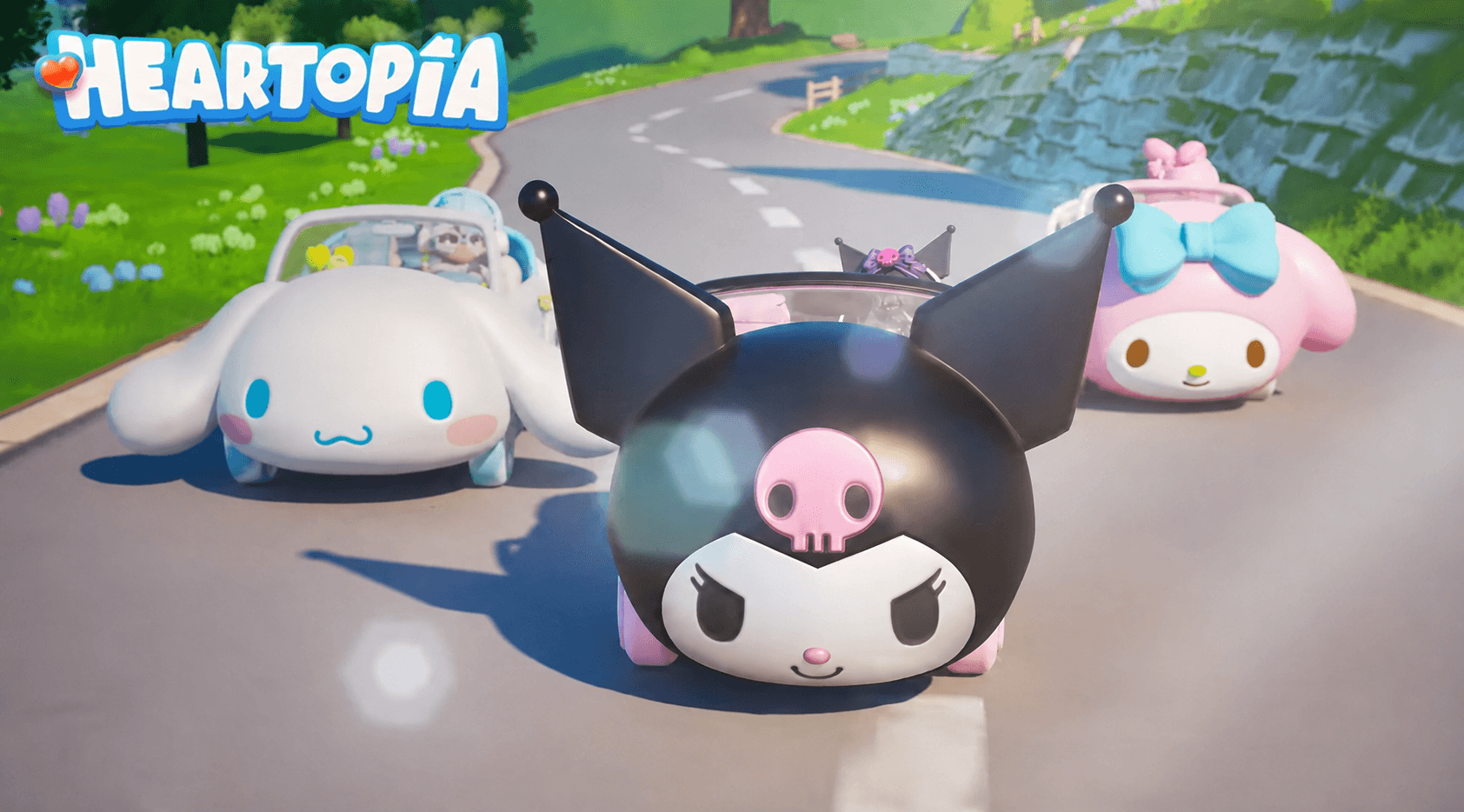
Heartopia has welcomed My Melody, Cinnamoroll, and Kuromi through a limited-time collaboration filled with themed clothing, vehicles, furniture, recipes, and collectible rewards.

The crossover arrived directly in the global version of Heartopia, so there was no separate regional soft launch. If you already play on Android, iOS, or PC, you can access the collaboration through the Event page after updating the game.
Heartopia x Sanrio Characters Release Date and Schedule
Heartopia first announced the partnership in June, followed by a preparation event called SANRIO CHARACTERS’ Invitation on July 10. During this activity, you can log in each day and light a piece of a seven-part puzzle. Completing the puzzle provides limited rewards, including Time-Limited Exhibition Passes and building items.
The main collaboration started on July 17 and introduced the Sanrio Gacha Machine, Sweet Secrets sticker event, Speciality Exhibition, Rainbow Cottage furniture collections, and Vehicle Collection. Most of these activities close at 05:59 server time on August 24, so you will need to claim or exchange event rewards before their individual deadlines.

❥・• Heartopia ✖ SANRIO CHARACTERS Collaboration Item Overview 🛍️
The Heartopia ✖ SANRIO CHARACTERS collaboration will run from July 17 to August 23. Kawaii meets Heartopia!
The Golden Acorn Merchant Guild has prepared the Collaboration Speciality Exhibition for D.G.… pic.twitter.com/i9Ur1b9RVR
— Heartopia (@MyHeartopia) July 13, 2026
A separate Thank-You Gift can be claimed until August 29. This login reward includes 120 Time-Limited Exhibition Passes and a commemorative outfit, which gives you resources for the collaboration exhibition.
What to Expect From the Sanrio Collaboration
Each featured character receives a complete visual theme. My Melody brings a pink and white collection with frills and strawberry details, while Cinnamoroll receives a light blue, cloud-inspired design. Kuromi rounds out the selection with purple and black clothing, gothic details, and pink skull motifs.
The Speciality Exhibition divides these items into three character-specific pools containing outfits, hairstyles, accessories, and vehicles. Items do not repeat within the same pool, and drawing the vehicle automatically awards any remaining items from that pool. You can also collect all three vehicles to receive additional Exhibition Passes.

Daily activities provide another route to collaboration rewards. Sweet Secrets gives you random stickers for completing event quests, and duplicate stickers can be sent to other players.
Meanwhile, the Sanrio Gacha Machine can be used up to five times per day across your machine and those placed in other players’ homes. Its rewards include character Night Lights, stickers, recipes, pet costumes, headbands, shoulder bags, and other resources.
Home decorators can collect the Sweet My Melody, Fluffy Cinnamoroll, and Whimsical Kuromi furniture ranges through Rainbow Cottage. These sets use Thank-You Cards, which come from supporting designs with Heart Diamonds or exchanging a limited number of Wishing Stars.
You might also want to check out these articles:
- Dynasty Warriors: Overlords Launches Globally on Mobile Devices
- MARVEL Mystic Mayhem Officially Launches on Android and iOS
- Top 15 Upcoming Mobile Games You Can Look Forward to in 2026